Home
Skeletonization and graph-based feature extraction for branching biological structures — vasculature, fibers, neurites, and other network-like objects — from 2D or 3D binary or multi-label segmentation masks.
Maskel is the core algorithm package: thinning, feature extraction, and the batch CLI. It has no napari dependency — for the interactive napari plugin, see napari-maskel. For benchmarks and the HRF-based analysis notebooks, see maskel-evaluations on GitHub.
What it does
Given a 2D or 3D segmentation mask — either a plain binary mask or a multi-object instance segmentation map — from any imaging modality or biological structure, maskel:
- Optionally preprocesses the binary mask (morphological closing, hole filling)
- Thins it to a 1-pixel/voxel skeleton (a fast, Numba-parallelized implementation of Lee et al. 1994 thinning)
- Builds a graph over the skeleton (edges = branches between junctions/endpoints; the raw node table before filtering covers every skeleton pixel, degree-2 pass-through points included — see Node-level features)
- Optionally prunes short spur branches and cleans up ambiguous triangle junctions
- Extracts per-branch, per-node, and per-object summary features (length, tortuosity, radius, fractal dimension, ...)
Touching-but-distinct objects in a multi-object mask are always skeletonized independently, never merged.
Examples
2D binary mask
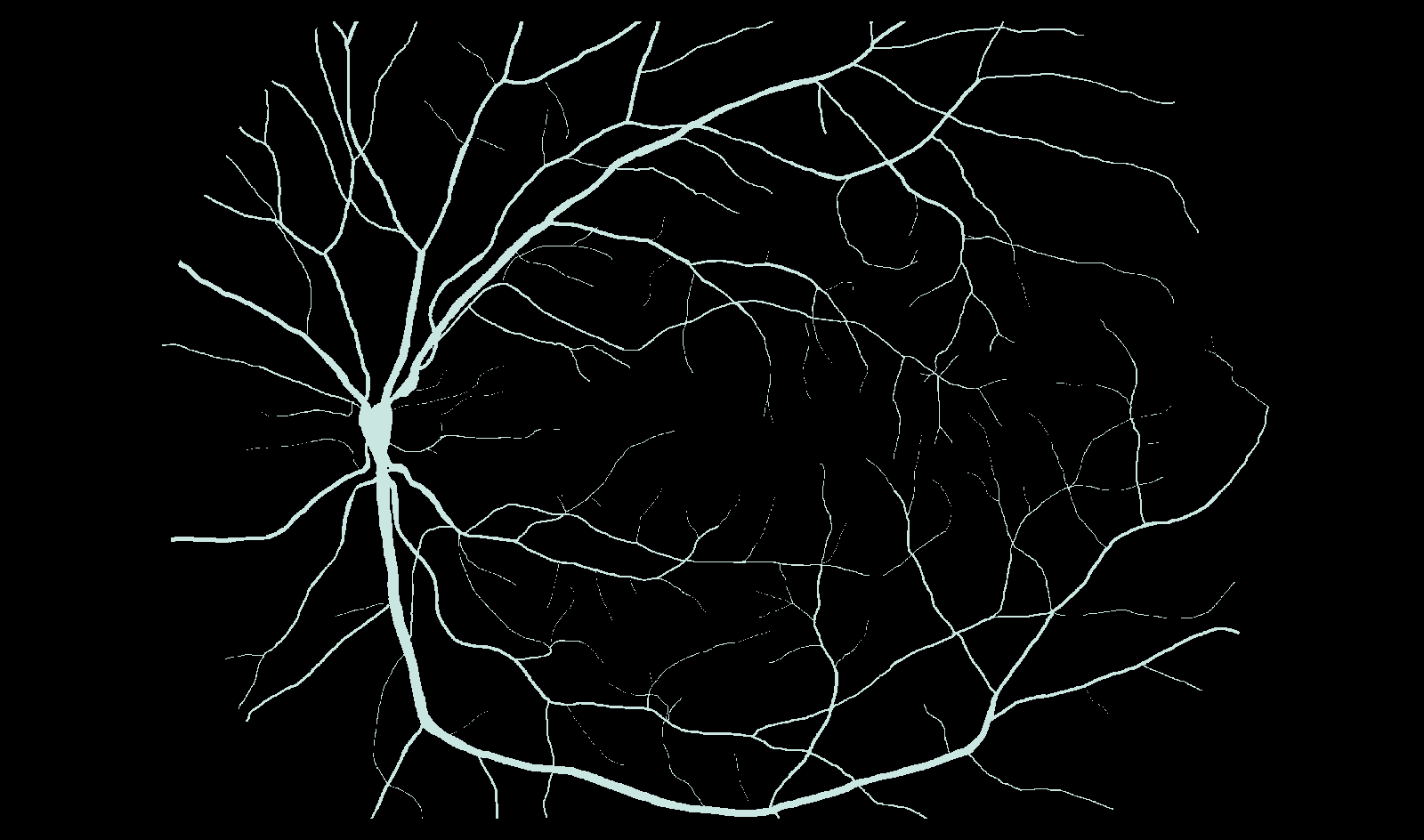
This is an example of running maskel on a 2D binary segmentation mask. The data is from the HRF (High-Resolution Fundus) image database — a manually annotated retinal vessel mask.
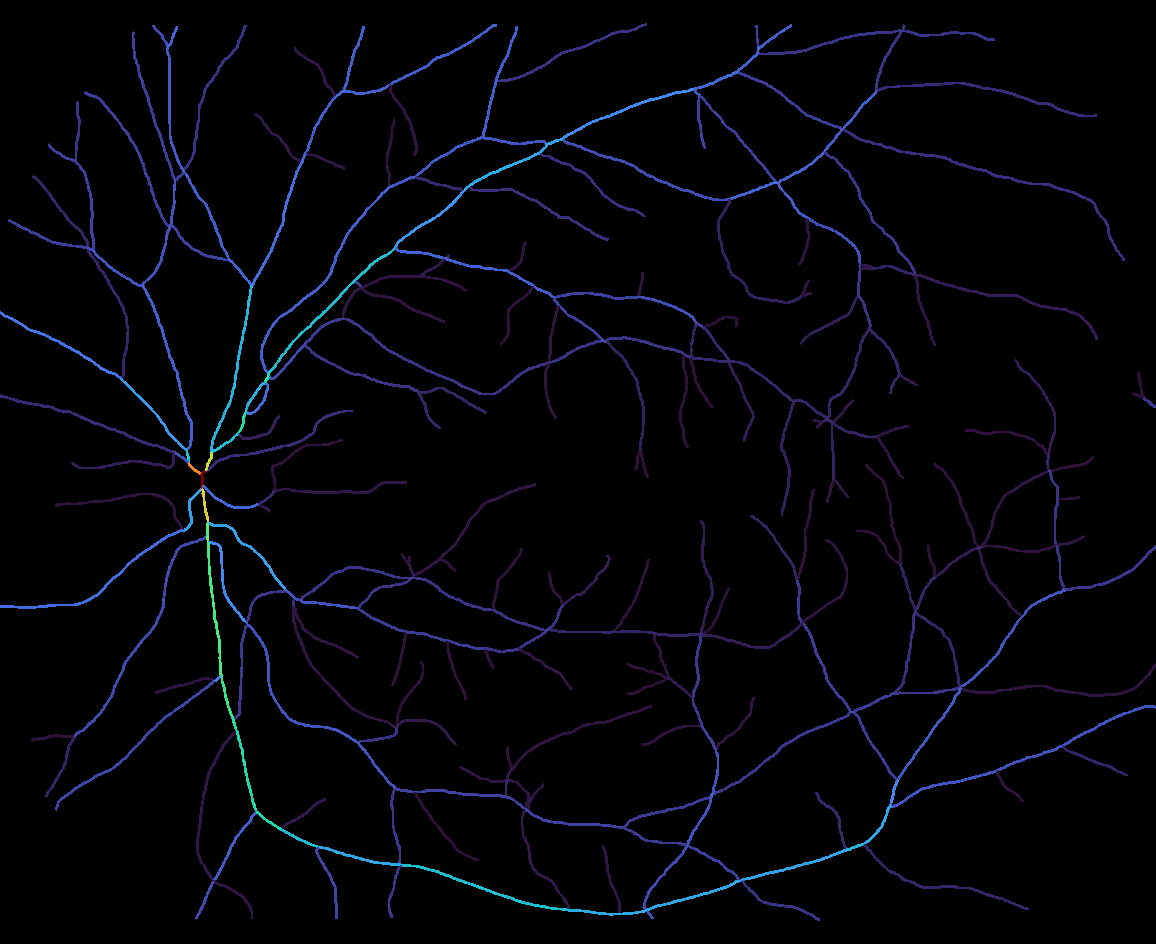
The extracted skeleton, colored here by each branch's mean radius (mean_radius in <image>_branches.csv) — rendered from the exported branch CSV for illustration, since maskel's CLI itself only writes the raw skeleton mask (optionally as a PNG, for 2D input) and data (CSVs, arrays, graphs) — never a rendered/annotated visualization like this one. Use the exported .graphml/.pkl graph, or napari-maskel, to visualize interactively.
2D multi-label mask
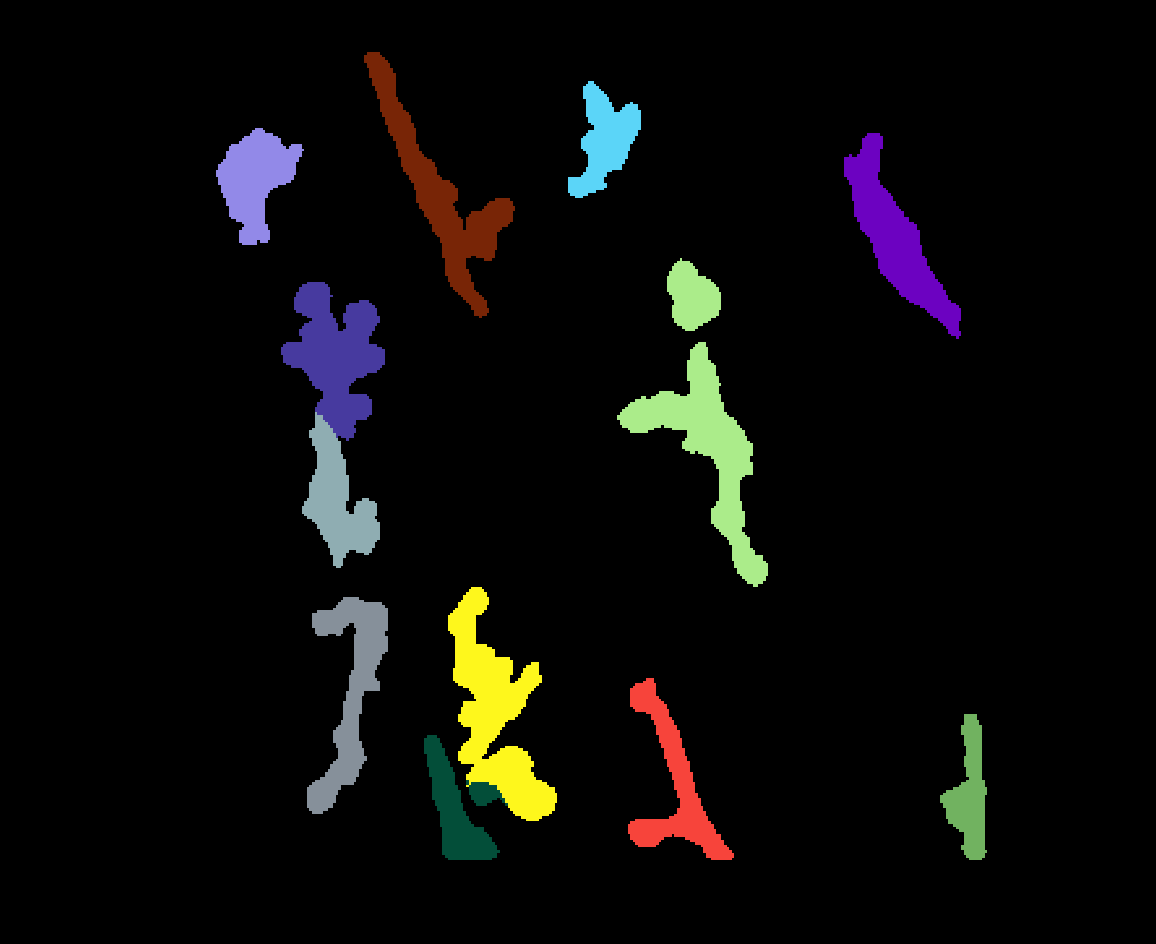
A multi-object instance segmentation map (more than one distinct nonzero label) is skeletonized independently per object — including two objects that touch, which stay correctly separate rather than merging into one skeleton. This example is the first frame of a video, MacrophageData_V2/NpyData/EMMACtrl_2021-05-19_visual_labels.npy, from Zenodo record 13929787.
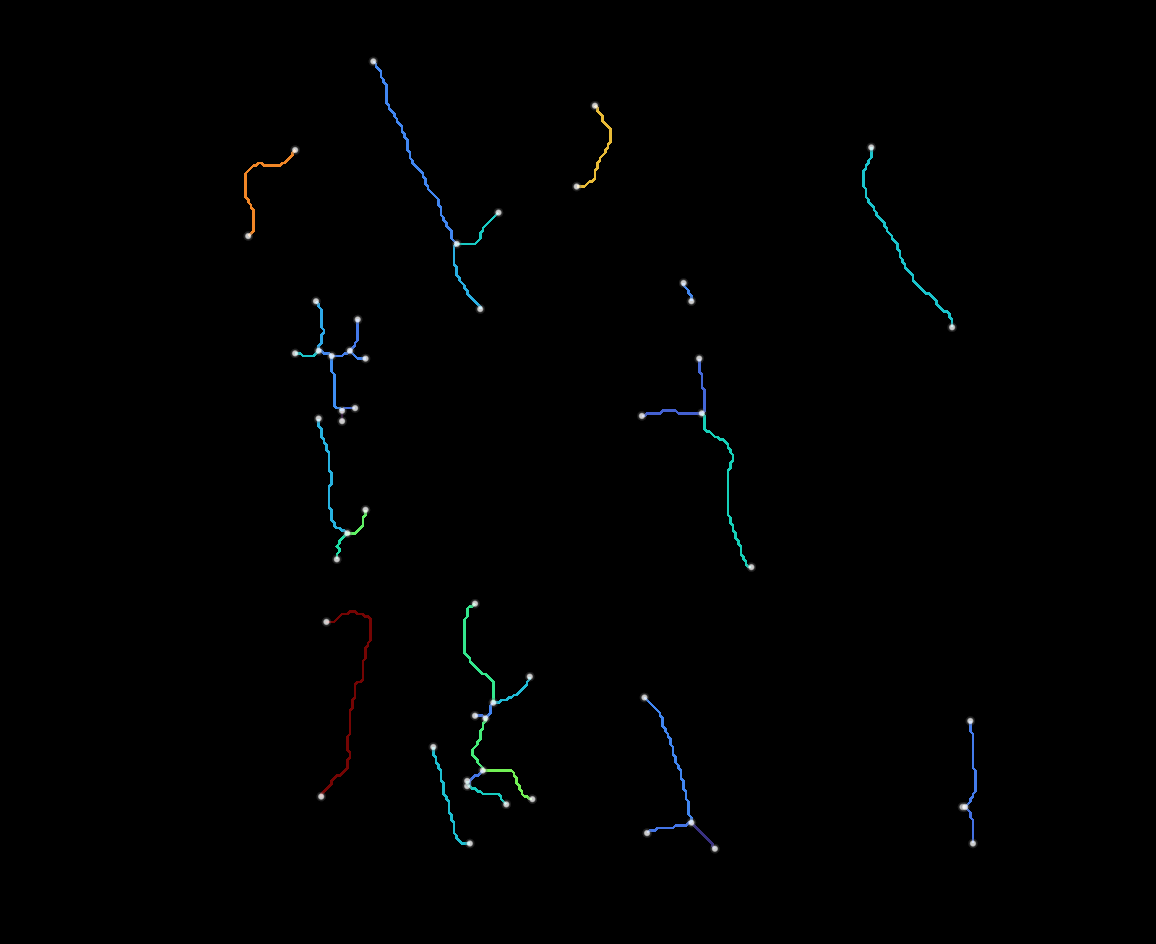
Every branch, node, and summary row is tagged with the object_id it came from, so the per-object rows in summary.csv/<image>_branches.csv/<image>_nodes.csv stay consistent with the IDs in the original mask. Since maskel's CLI processes a whole batch of images in one call, pointing --input at a directory or glob of every frame in this video — with the extraction settings tuned on this one example frame — reproducibly extracts these same per-object features across the whole sequence, one row per object per frame.
General usage of the CLI
- Create a starter config:
maskel init config.json(or export one from napari-maskel's Save recipe button — see Sharing a config with napari-maskel). - Edit
config.jsonto set the extraction/output parameters described below. - Check it's well-formed:
maskel validate config.json— prints the normalized config and confirms itsschema_versionis supported. - Run it:
maskel run --input /path/to/images --config config.json --out outputs --jobs 0
Input
--input takes one or more of:
- a single file path
- a directory (every supported file directly inside it; add
--recursiveto also search subdirectories) - a glob pattern (e.g.
"data/*.tif"; also expanded recursively with--recursive)
Supported file extensions: .png, .jpg, .jpeg, .tif, .tiff, .bmp, .npy, .mhd. Each file is either a plain binary segmentation mask or a multi-object instance segmentation map (see Examples above for how the latter is handled). Two inputs that resolve to the same filename stem (e.g. from different folders) get a numeric suffix (_2, _3, ...) in their output names, so results never silently overwrite each other.
Output
--out is a directory that ends up containing:
summary.csv— one row per object per image, aggregated across the whole batch- one subfolder per input image (named after its filename stem), holding whichever per-image/per-object files are enabled under
output(skeleton array, branch/node CSVs, radius matrix, GraphML/pickle graphs — see Configurable parameters below for exact filenames)
Spacing override
--spacing overrides extraction.spacing in the config for the whole run, e.g. --spacing 2.0 2.0 for 2D or --spacing 1.0 0.5 0.5 for 3D. An image whose dimensionality doesn't match the given spacing falls back to isotropic spacing for that one image, with a warning, rather than failing the whole batch.
Parallelism
--jobs/-j spawns a process pool over the input images, one process per image; 0 uses all CPU cores, and the default, 1, processes images one at a time in the main process. Ctrl-C triggers a clean worker shutdown rather than hanging.
Configurable parameters
A config JSON has two sections, extraction and output (plus a schema_version — currently 6 — that must match exactly), matching maskel.config.ExtractionConfig/OutputConfig. It's the same JSON produced by maskel init, consumed by maskel run --config, and exported/imported by napari-maskel's Save recipe/Load recipe.
Physical spacing
extraction.spacing(list[float] ornull, defaultnull) — per-axis physical pixel/voxel size (length must match the image's dimensionality: 2 for 2D, 3 for 3D). When set, length/radius/area/volume features come out in physical units instead of pixel units. A per-image mismatch falls back tonull(isotropic pixel units) with a warning rather than failing the batch. Box-countingfractal_dimensionis only valid for isotropic voxels, so it's forced to0.0(with a warning) whenever spacing is set and anisotropic. Overridable per-run withmaskel run --spacing.
Extraction layers
extraction.branches(bool, defaultfalse) — extract per-branch features, written to<image>_branches.csvwhenoutput.write_branch_csvis also on.extraction.branch_color_property(str, default"tortuosity") — which branch property napari-maskel colors its branches layer by. No effect on the CLI's own output; only relevant when the config is shared with the plugin.extraction.branch_text(bool, defaultfalse) — whether napari-maskel overlays branch ID/length/tortuosity text on its branches layer. Likewise CLI-inert.extraction.nodes(bool, defaultfalse) — extract per-node features, written to<image>_nodes.csvwhenoutput.write_node_csvis also on.extraction.summary(bool, defaulttrue) — compute per-object summary features, written tosummary.csvwhenoutput.write_summary_csvis also on.
Cleanup
extraction.fill_holes(bool, defaultfalse) — fill holes in the binary segmentation before thinning.extraction.max_hole_size(int, default0) — maximum hole area (px) to fill whenfill_holesis true;0fills all holes.extraction.closing_iterations(int, default0) — morphological closing iterations applied before thinning;0disables it.extraction.show_preprocessed(bool, defaultfalse) — whether napari-maskel adds a layer showing the mask after preprocessing. Purely a display toggle for the plugin; the CLI has no output file for the preprocessed mask.extraction.junction_cleanup(bool, defaultfalse) — clean up ambiguous junction pixel clusters left behind by thinning.extraction.cleanup_threshold_factor(float, default2.5) — sensitivity for the above; higher values collapse larger clusters.extraction.prune_spurs(bool, defaultfalse) — remove short endpoint-to-junction branches that are thinning artifacts rather than real structure.extraction.min_spur_length(float, default10.0) — branches shorter than this qualify as spurs; in pixel units, or physical units oncespacingis set.extraction.spur_iterations(int, default1) — how many times pruning repeats on its own output, since removing one spur can expose another.
Advanced features
extraction.fractal_dimension(bool, defaultfalse) — compute the skeleton's box-counting fractal dimension as a summary feature (see Glossary). Forced to0.0wheneverspacingis set and anisotropic.extraction.mask_radius(bool, defaultfalse) — estimate local radius via a Euclidean distance transform of the segmentation. Required for every radius/diameter/volume/surface_area feature at every level (object, branch, node) and foroutput.write_radius.
Output settings
output.write_skeleton_npy(bool, defaulttrue) — save the skeleton as<image>_skeleton.npy.output.write_skeleton_png(bool, defaultfalse) — save the binary skeleton as<image>_skeleton.png(skipped with a warning for 3D input).output.write_summary_csv(bool, defaulttrue) — write the aggregatedsummary.csv, one row per object per image.output.write_branch_csv(bool, defaultfalse) — write<image>_branches.csv(requiresextraction.branches).output.write_node_csv(bool, defaultfalse) — write<image>_nodes.csv(requiresextraction.nodes).output.write_radius(bool, defaultfalse) — write the per-pixel radius matrix as<image>_radius.npy(requiresextraction.mask_radius).output.write_graphml(bool, defaultfalse) — write the skeleton graph as<image>_<object_id>_graph.graphml, one file per object (nodes = graph nodes, edges = branches).output.write_networkx_graph(bool, defaultfalse) — write the same graph as<image>_<object_id>_graph.pkl, a picklednetworkx.MultiGraph— richer than GraphML (keeps NaN values and native Python types) but only readable from Python.
An output.write_* flag set without its required extraction.* flag is rejected outright: both maskel validate and maskel run --config raise ValueError listing every mismatched pair, rather than silently writing nothing for that flag.
Sharing a config with napari-maskel
The same config JSON works in both directions: a file written by maskel init (or hand-edited, or produced by any earlier maskel run) can be loaded straight into the napari-maskel widget with Load recipe, and a config tuned interactively in the widget can be exported with Save recipe and passed to maskel run --config for reproducible batch processing — as in the multi-label example above. Both consume exactly the same schema described in Configurable parameters, since maskel.config is the single source of truth both projects import.
License
Maskel is released under the MIT License. See LICENSE for details.